
Instructions for FIlling out Forms
- Find the form you need
- Click on the Form title or RED PDF logo
- Form will open
- Fill out Form
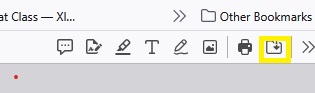
- Click the download button
- this button looks like either a little folder or downward arrow depending on your browser–a small picture is attached for reference
- Email the file to the appropriate email –if unsure please email to programs@whispersofhopehf.org
- CLICK HERE TO Open Email
- once you email opens click on the attach file ( should look like a paper clip, picutre sample below) . then hit send.

